You do not need ten Chrome windows and a notebook of Fiverr passwords.
With SafeLog, you log each Fiverr account into its own desktop profile. Those accounts show up automatically on the mobile app. From your phone you can send, edit, and delete messages, and turn on AI auto reply.
This guide is the real workflow. Not theory. Follow it in order.
How it actually works (30 second version)
``text 1. Sign up on getsafelog.com 2. Download the desktop app + the mobile app 3. Log in on both with the same SafeLog account 4. Free trial = 2 profiles = 2 Fiverr accounts max 5. On desktop, create 2 GateBrowser profiles and log into Fiverr in each 6. Keep those profiles ONLINE (running). RDP is strongly recommended 7. On mobile, the same Fiverr accounts appear in Inbox 8. Reply, edit, delete, or use AI Auto from your phone ``
Critical rules:
| Rule | Why |
|---|---|
| Use GateBrowser only for this | FoxyBrowser does not power SafeLog Assistant for Fiverr |
| Free trial = 2 profiles | Only two Fiverr logins on trial |
| One Fiverr login per profile | Never two sellers in one profile |
| Keep the profile online / running | Mobile only works while that account is active on desktop |
| Same SafeLog email on phone and desktop | Accounts sync to your user |
Step 1. Create your SafeLog account
1. Open getsafelog.com 2. Click Sign up / create account 3. Verify your email if asked 4. Sign in on the website so downloads are unlocked
You will use this same email and password on desktop and on mobile.
Step 2. Download both apps
Desktop (required)
1. Go to getsafelog.com/download 2. Install SafeLog for Windows or macOS 3. Open the app and sign in
Mobile (required for phone inbox)
1. Install SafeLog Assistant from the store / link you got on getsafelog.com 2. Open it
You should see the SafeLog sign-in screen:
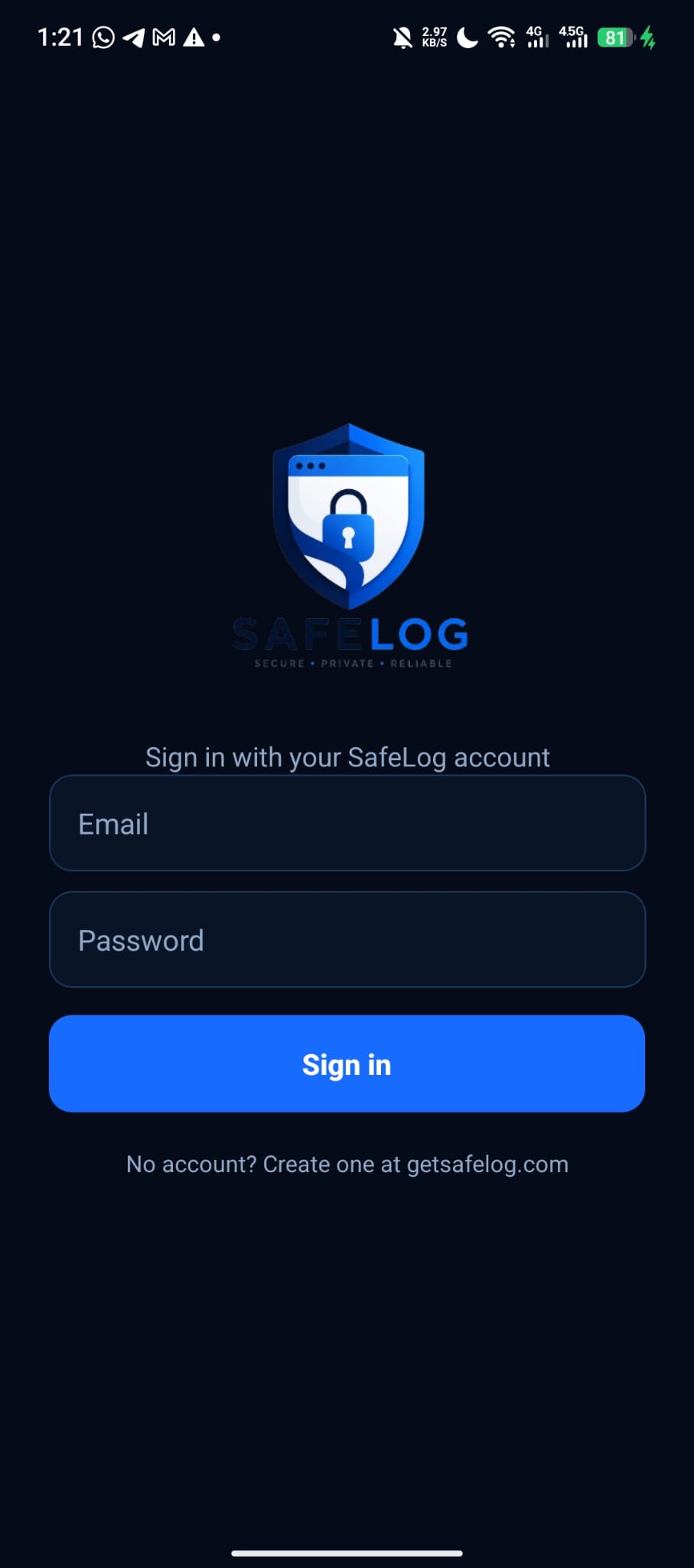
Sign in with the same SafeLog account you used on the website and desktop. No second registration. One account ties everything together.
Step 3. Understand the free trial limit
On the free trial you get 2 browser profiles.
That means:
- Profile 1 → Fiverr account A
- Profile 2 → Fiverr account B
You cannot put five Fiverr sellers on trial. Upgrade later if you need more seats. For learning the product, two accounts is enough.
Step 4. Create two GateBrowser profiles on desktop
1. Open SafeLog desktop 2. Click New Profile 3. Name it clearly (example: Fiverr main, Fiverr brand 2) 4. Choose engine: GateBrowser
GateBrowser only (read this twice)
| Engine | Works with mobile Assistant + Fiverr? |
|---|---|
| GateBrowser | Yes |
| FoxyBrowser | No for this Fiverr Assistant flow |
If you pick FoxyBrowser, the account will not show up the way you expect on the phone. Always use GateBrowser for Fiverr + Assistant.
5. Add a proxy if you have one (recommended for live sellers) 6. Save the profile 7. Repeat for the second trial profile
Step 5. Log into Fiverr inside each profile
1. Select profile 1 → click Start / Open 2. In the browser that opens, go to Fiverr and log in 3. Open Inbox once so the session is solid 4. Leave this profile running (do not close everything and walk away if you want the phone to work) 5. Start profile 2 → log into the other Fiverr account the same way
As soon as those Fiverr sessions are live on GateBrowser, they appear on the mobile app under your SafeLog user. You do not manually “import” them into the phone.
Step 6. Keep accounts ONLINE (this is the part people miss)
SafeLog Assistant on mobile only works when the matching desktop session is active.
When the account is OFFLINE
You will see a red warning and assistant offline:
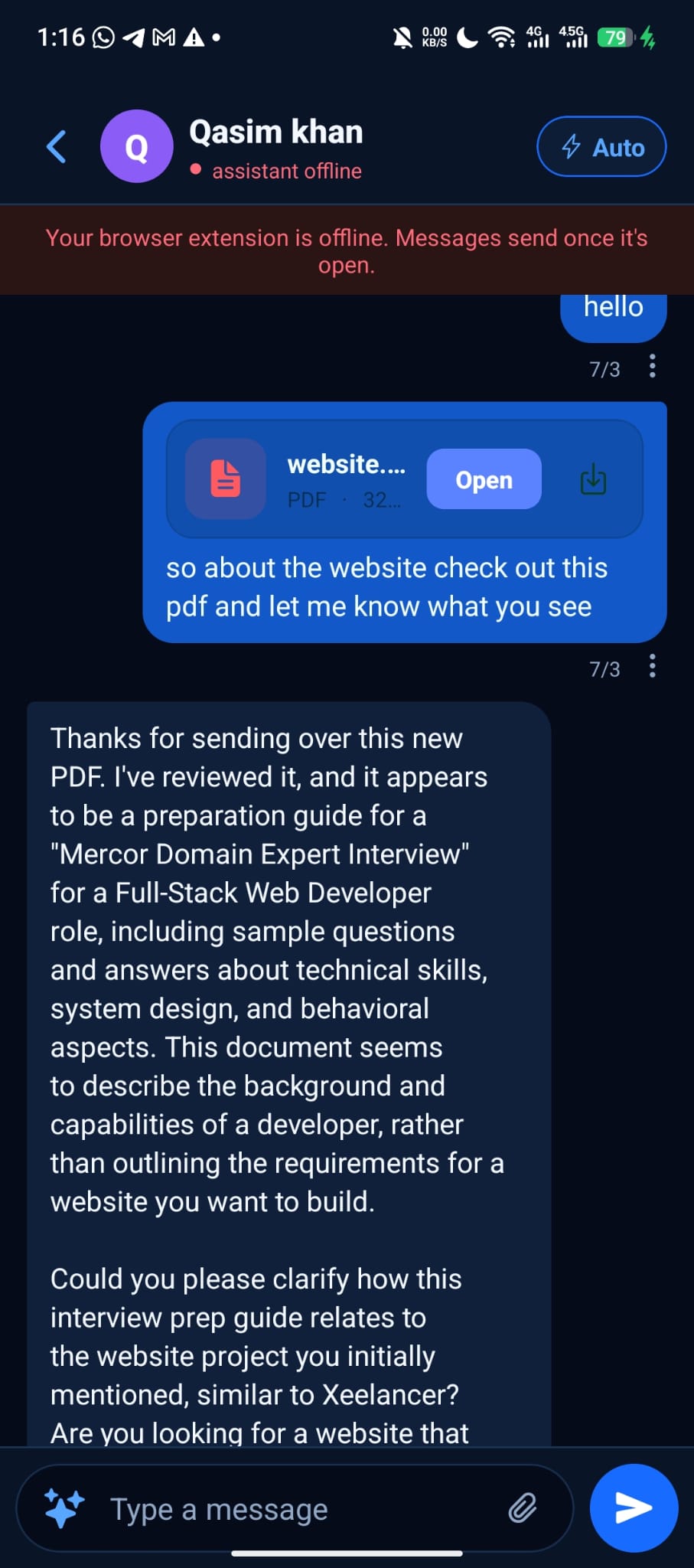
The banner says it clearly:
Your browser extension is offline. Messages send once it's open.
If you type a reply while offline, it waits until the desktop profile is online again.
When the account is ONLINE
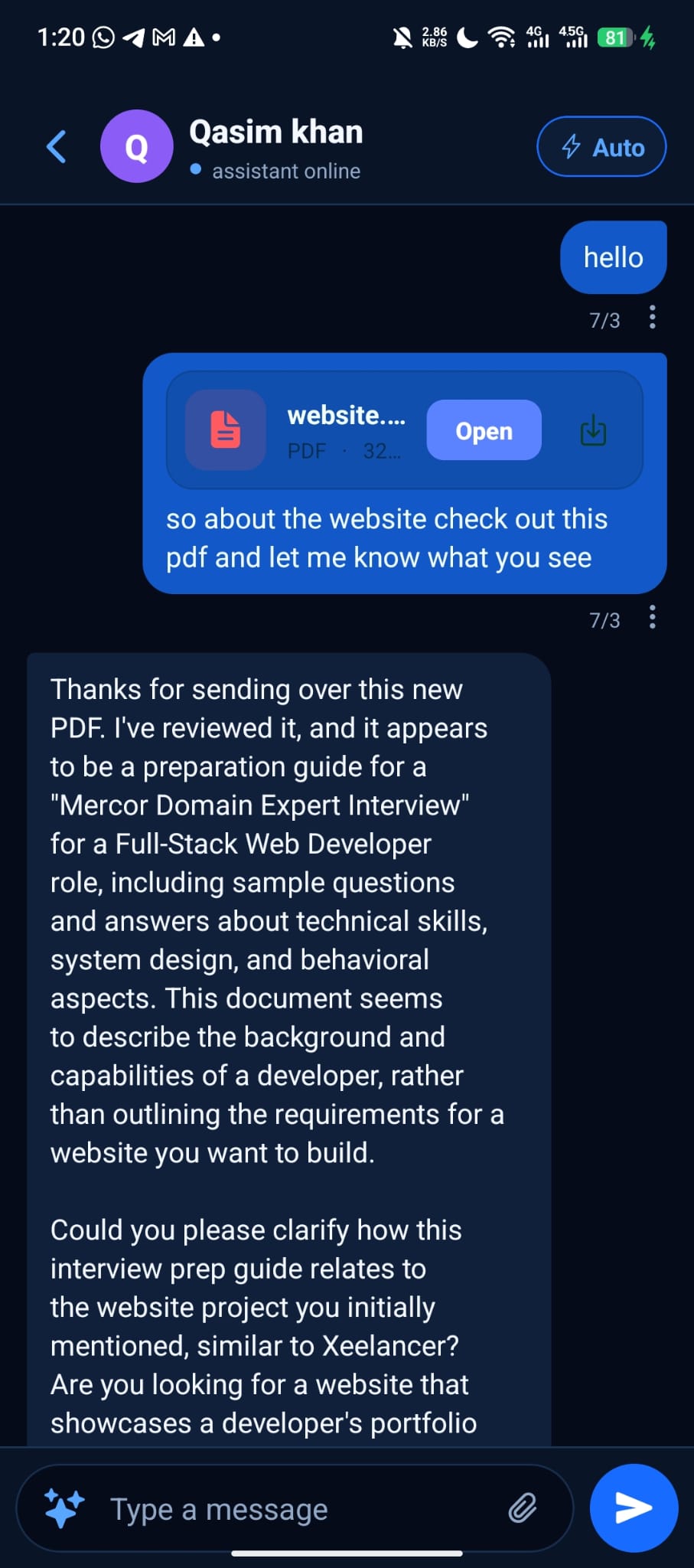
Status shows assistant online (green). Chats load and replies go through:

You can send normal messages, open attachments, and use the full chat.
Practical tip: use RDP (or a VPS) so accounts stay online
If you close the laptop, sleep the PC, or kill the profile, the phone goes offline for that account.
What we recommend:
1. Rent a cheap Windows RDP or cloud PC 2. Install SafeLog desktop on the RDP 3. Log in with your SafeLog account 4. Start your GateBrowser Fiverr profiles there 5. Leave them running 24/7
Your phone can stay with you. The identity stays online on the RDP. That is how sellers keep multi-account Fiverr inboxes alive without sitting in front of the machine all day.
| Setup | Result |
|---|---|
| Laptop closed, no RDP | Assistant goes offline |
| Profiles running on RDP | Phone stays usable |
| Profile stopped on desktop | That Fiverr account drops offline on mobile |
Step 7. Use the mobile Inbox: switch accounts, reply, edit, delete
Switch Fiverr account on the phone
Open Inbox. Tap the account chip at the top. You get SWITCH ACCOUNT:
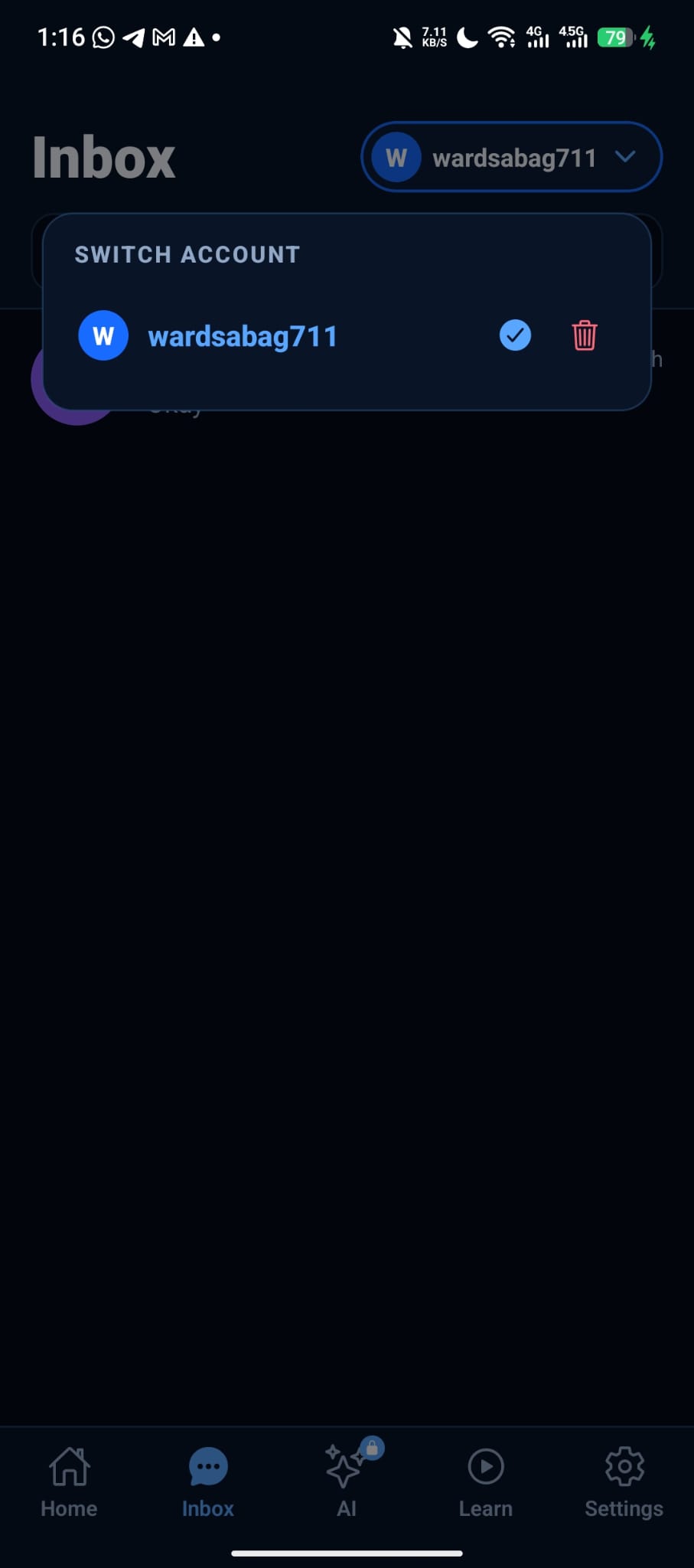
- Tap the account you want (check mark = active)
- Use the trash icon only if you mean to remove that linked account from the list
With the free trial you should see up to two Fiverr identities, matching the two GateBrowser profiles.
What you can do in a chat
| Action | How |
|---|---|
| Send | Type message → send (needs online) |
| Edit | Use the message menu / edit action on a sent reply |
| Delete | Use delete on a message you own, when the session allows it |
| AI Auto | Toggle Auto on the chat header for AI auto reply on that conversation |
| Attachments | Open PDFs and files buyers send when online |
AI auto reply is for speed. Review important deals yourself. Auto is a helper, not a replacement for real client care.
Step 8. Daily workflow that actually works
Morning (or whenever you start)
1. RDP (or home PC): confirm both GateBrowser profiles are running and Fiverr is still logged in 2. Phone: open SafeLog Assistant → confirm assistant online 3. Inbox → switch account → clear unread
During the day
1. Keep RDP profiles alive 2. Answer from the phone whenever a buyer messages 3. Switch account chip to hit account 2 4. Leave Auto on only where you trust AI drafts
If something fails
| Symptom | Fix |
|---|---|
| Red “extension is offline” | Start the GateBrowser profile on desktop / RDP |
| Account missing on phone | Confirm you logged Fiverr on GateBrowser, same SafeLog user, profile still exists |
| Third account will not fit | Trial is 2 profiles. Upgrade plan for more |
| FoxyBrowser profile never shows | Switch that workflow to GateBrowser |
Full path (bookmark this)
``text getsafelog.com → sign up → download desktop + mobile → login both with same account → free trial: create 2 GateBrowser profiles → log Fiverr into each profile → keep profiles ONLINE (RDP recommended) → phone Inbox: switch account, send / edit / delete → optional: AI Auto reply ``
FAQ
Do FoxyBrowser profiles work with the mobile Fiverr Assistant?
No. Use GateBrowser for this feature.
How many Fiverr accounts on free trial?
Two. One per profile.
Do accounts appear on mobile automatically?
Yes, after you log into Fiverr inside the running GateBrowser profile under the same SafeLog user. You do not need to log in again on your phone. That can cause IP issues.
Why does the phone say offline?
The desktop (or RDP) profile is not running, or the browser extension / session for that account is down. Start the profile again. Messages queue until it is open.
Do I need RDP?
Not required, but strongly recommended if you want 24/7 mobile replies. A sleeping laptop means offline Assistant.
Can I edit and delete messages?
Yes, from the mobile chat when the account is online, using the message actions SafeLog exposes for that conversation.
Bottom line
SafeLog is not “open many random browsers and hope.”
It is:
1. Desktop GateBrowser profiles hold the real Fiverr sessions 2. Mobile Assistant is your remote control for those live sessions 3. Online = working. Offline = wait 4. RDP keeps the machine awake so you do not babysit the PC 5. Trial = 2 accounts to prove the flow before you scale
Sign up, download both apps, log two Fiverr accounts into GateBrowser, keep them online, and run the whole inbox from your pocket.
Start now
1. Create account / open SafeLog 2. Download desktop 3. Install SafeLog Assistant on your phone 4. Log Fiverr into GateBrowser profiles and leave them running
Two profiles. One phone. Buyers answered.